

Apparently, NVIDIA’s latest drivers, v.531.18, are causing high CPU usage at random times, but NVIDIA is fixing the problem right away.
Many users affected by the issue reported unexpectedly high CPU usage at various times, causing higher temperatures and performance issues due to throttling. The problem seems to have arisen after a recent driver update. Several gamers started noticing issues after the v531.18 update to NVIDIA drivers last week.
After logging into Windows or after playing a game, a component of NVIDIA’s GeForce Experience suite called nvcontainer.exe starts to “eat” about 10% of the system’s CPU resources. Workaround was to select end process to return CPU resource usage to where it was supposed to be, however the process would come back as soon as the user opened the GeForce Experience software or launched a game.
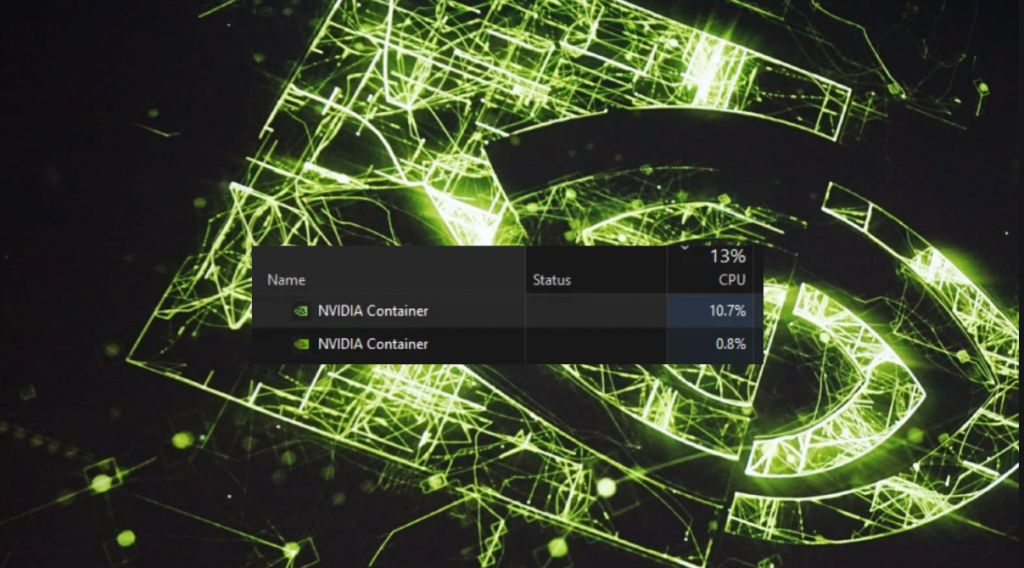
Affected systems seem to overheat and lag (possibly due to throttling) for no reason. Some users also reported various errors and problems in both system and games (eg system crashes) after installing the new drivers. The release notes for NVIDIA’s new drivers mention various issues, such as: “Higher CPU usage from NVIDIA Container might be observed after exiting a game”.
This means that the company knew that the new drivers could cause problems, but chose to release the update anyway. Although there are other bugs, they are not that serious. However, from the first moment that the problem was pointed out, NVIDIA confirmed the problem and announced that it would soon proceed with the release of a hotfix.
This didn’t take long since a few hours ago, NVIDIA released new drivers with version 531.26, which fix the problems, and with the Nvidia Container no longer occupying the CPU when entering or closing a game.
You can download the patched drivers from the NVIDIA website. In addition to the hotfix for the serious bug, the new drivers contain some DLSS3-related optimizations in Atomic Heart and some other new games as well as the super-resolution video feature for Edge and Chrome browsers.

0 Comments