
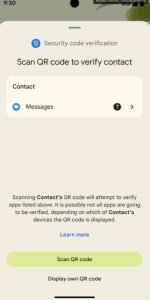
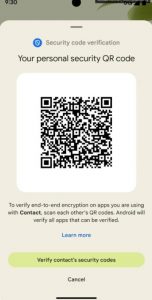
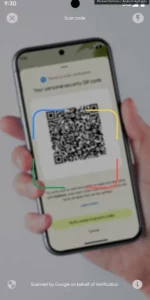
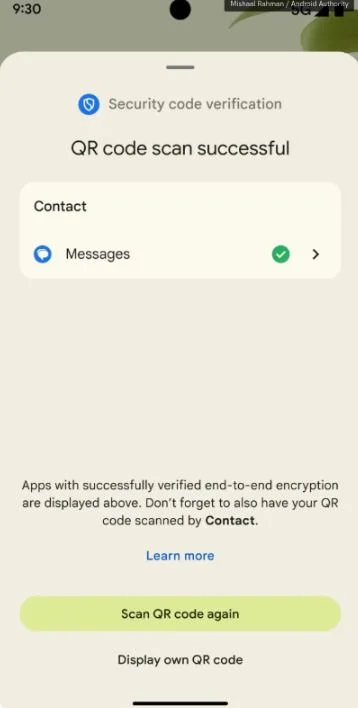
Basically when you create a contact, your contact can share their QR code with you, which when scanned, will associate the device with the contact you created. Your contact can and should scan your own QR code so that both devices are authenticated.
If you later find that a suspicious person you’re chatting with in a supported messaging app isn’t who they say they are, you can ask them to authenticate the key generated when you both scanned the QR codes. If he’s using a different device and the keys don’t match, then he might not be who he says he is.
The app is available from here on the Google Play Store
See Google’s report on the app with the
November 2024
Google Play system update November 2024
Google Play Services Version v24.44 (11-11-2024)
Developer Services [Phone] New features for Google and third-party app developers to support processes related to device connectivity in their apps.
Wallet [Phone] Bug fixes for Wallet related services.
Safety Core v1.0 (07-11-2024)
Developer Services [Phone, TV] A new system service (SafetyCore) that provides security features for Android devices, such as sensitive content warnings.
Android System Key Verification Tool v1.42 (2024-11-07)
Developer Services [Phone] A new system service (Android System Key Verifier) that allows developers to store end-to-end encryption keys.
Android Web View v131 (2024-11-06)
Security and privacy improvements and bug fix updates.
New features for Google and third-party app developers to support features related to serving web content in their apps. Important: Some features may be experimental and available to specific users.
Google Play Store v43.5 (04-11-2024)
[Phone] You will find more relevant content when you install and update apps on Google Play.
0 Comments